AI-driven development 101
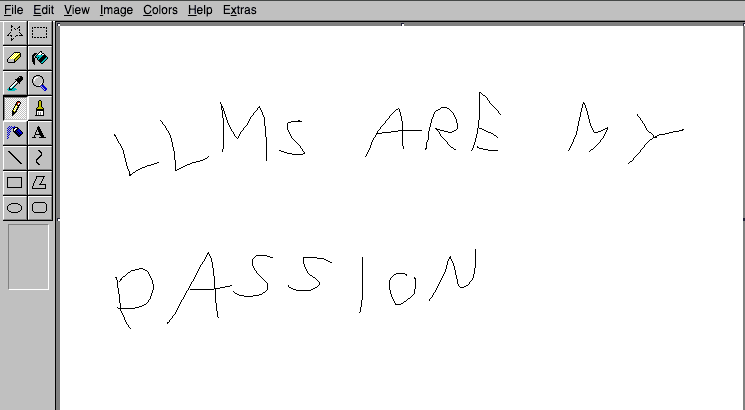
You start working on a project with AI, tell it the style you want, basic functionalities. Result is quite good. Then you want more features. Different styles. Your API needs to be super fast, UI needs to be snappier. Database needs changes, UI needs changes, more features needed. Now your AI is overwhelmed and everything stops working the way you imagined. What is happening?
This still happens between engineers too. AI is a new tool and using it requires time to understand how to use it like anything else.
At first I was skeptical of relying on AI too much for unsupervised work. I felt like as soon as i did not monitor its work it would start hallucinating. Now I feel much more comfortable and my output quality has increased over time. Hopefully this helps making you comfortable relying on AI as well.
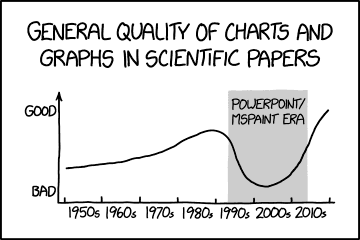
Working with AI is an optimisation problem: you objective is to minimise the chance of AI to fuck up.
The process to achieve this can be summarised in 3 steps: define your problem, break it down and define execution rules. This basic approach is so powerful that it can be applied all the way from vibecoders working on pet projects to senior engineers working on orchestrators. It's also at the base of harness engineering that is how openAI suggests working with AIs. We will use a very common beginner project as an example: a dating app for horses.
Definition and boundaries
This is for you and your AI. If you have to rely on someone, it’s better to be as precise as possible and clear any doubts before starting work. This includes: architectural decisions, functional requirements, libraries to use, spec definitions, deployment configuration, testing coverage and so on. This work can be AI assisted and I would strongly recommend to have familiarity with the topics. It helps shape the problem in the correct way. I personally found uncomfortable using technology I have not used before and would first read about it to have a better understanding.
Example
Our horse dating apps has these requirements:
- Create and edit a horse profile: name, photos, age, breed, and bio.
- Browse other horses and choose like or pass.
- Create a match when two horses like each other.
- Let both horses see their matches.
We want to scaffold the project in a monorepo using React as frontend, google cloud for backend, openAPI for contract definition, tanstack query as our main state management and data access library. We want to stick to a well defined component library like Shadcn and have it mobile friendly since the start.
^The more precise you are in this step the better. It will serve as main reference to all your work and creates a ruleset for your AI to follow when it receives unclear inputs, other than giving you a clear idea of how everything will be structured.
Breakdown
Once everything is well defined, we now break it down to small executable tasks. Reasons why you should do this vs. one-shotting a plan:
- You have a well defined view of all the tasks required and current development status
- Each task can be worked on using fresh sessions / sessions seeded with the right scope. This makes execution more reliable
- Tasks can be worked on independently at the same time
It is important to avoid creating tasks like "make it faster" or similar with very broad scope. These would go against our work during the first step and increase the chance for the AI to make mistakes. Remember that our objective is to reduce the ability for AIs to mess up. Some tasks can be automatically created by AI when execution and scope are small/clear. More complex tasks might require additional decisions before getting added and made executable.
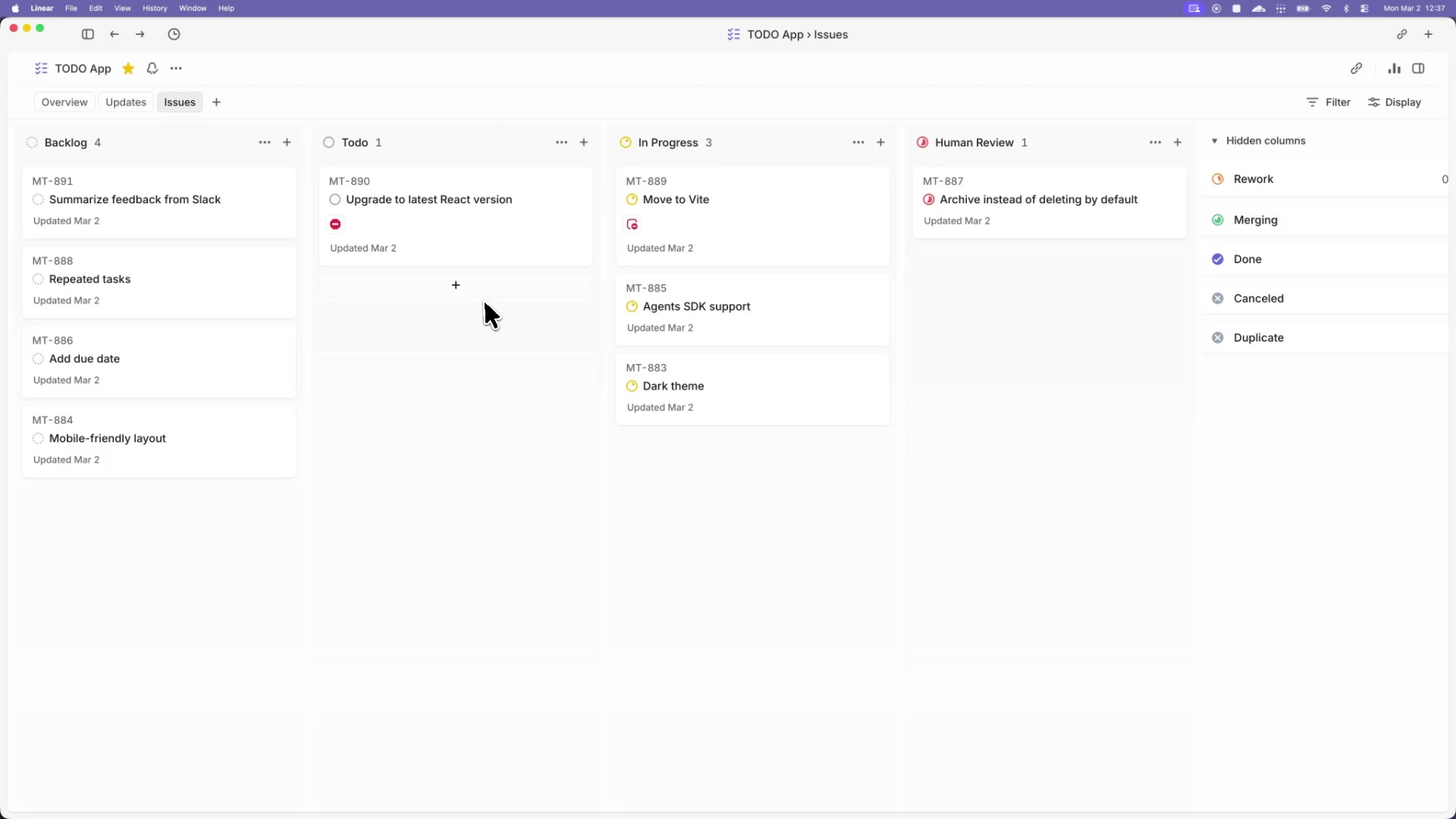
This part is essential to validate that your work is clearly defined and easy for AIs to pick up. If you do this while marking which tasks are blockers for others you end up with a very nice directed graph that shows execution order (as shown below).
Example
In our case we might have tasks that look like this:
| IssueId | Work | Blocked by |
|---|---|---|
| 15 | Create and edit profile fields: name, age, breed, and bio | 13, 14 |
| 16 | Upload and remove horse profile photos | 13, 14 |
| 20 | Return other horse profiles to browse | 13, 14 |
| 21 | Save like/pass decisions and create a match on mutual likes | 13 |
| 25 | Return each horse’s matches | 13, 14 |
| ... |
Drawn using a graph:
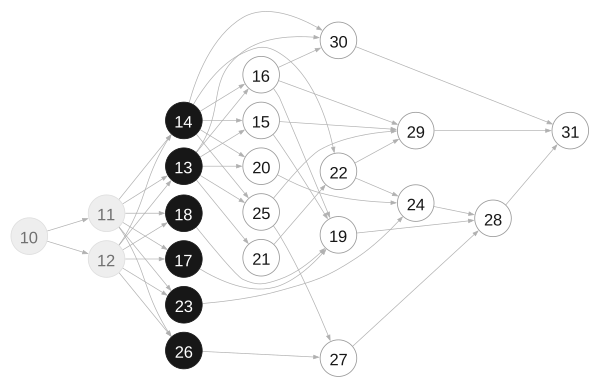
You can see how a set of requirements is now split into small, easy to understand tasks that follow a clear execution order.
Execution rules
You have a well defined project split into executable pieces. We now want to ensure that execution is done properly, reliably, following our guidelines and boundaries we imposed. We want this because a consistent execution allows you to better understand what part of it is working, what part is not, what to improve. This can consist of:
- How to pick a task from your task list
- How to work on it: separate worktrees, ensure there is enough information to work on it, reference to guidelines and specs defined at the beginning, mark the status as in progress, give the agent access to the right tools (mcps, apis etc) and more
- How to evaluate the work done: from manual checks to automated agents checking for testing coverage, vulnerabilities, CI passes.
A consistent workflow also allows you to easily add additional features to it:
- Automation. You can have a script that automatically looks at the current task list, monitors which tasks can be worked on, assigns them to codex sessions and monitors.
- Apply the same concept of task execution to task creation: a set of guidelines that ensures the task has enough information to be actionable, scope is clear, and labeled correctly.
Example
Let's create execution rules for our app and apply them to one task.
Inspired by Symphony’s workflow, our WORKFLOW.md could contain:
- Pick: take an unclaimed task with completed blockers and mark it In Progress.
- Work: follow the specs in a separate worktree. Keep one issue comment updated with your plan, progress, and blockers.
- Verify: run acceptance checks and CI. Fix failures; pause and record any missing inputs.
- Review: attach the PR and test results. Address feedback and mark Done after approval and merge.
Applied on task 21: save like/pass decisions and create a match on mutual likes:
- Pick: confirm task 13’s database and fixtures are complete and task 21 is unclaimed. Mark it In Progress.
- Work: read the matching specs, open a separate worktree, and implement decision saving and match creation in one transaction. Keep the issue’s progress comment updated.
- Verify: test that passes and one-sided likes create no match, and simultaneous mutual likes create exactly one. Run CI, fix failures, and record the results.
- Review: attach the PR and test results to task 21. Address feedback, then mark it Done after approval and merge.
With 3 simple steps you can achieve a setup that is much easier to control compared to single large prompts or scattered ideas. Following them does not guarantee a perfect execution. Tweaking will be needed (and engineering help will be required too) to improve the workflow. You can start by running this workflow manually, see where it fails, improve the weak parts of it and iterate until you feel comfortable automating it. I recommend looking at existing examples online for inspiration and use your own experience to create what fits you and your team best.
Conclusions
Task decomposition is more important than a big context window. If you feel like context size is limiting you, you might be doing something wrong. OpenAI uses a monorepo, Codex has a 256k context window and somehow they make it work.
If you feel like you keep running into issues and poor implementations you should consider re-evaluating your setup and understanding why this is happening. Not all problems are fully solvable by AI and some require human effort. In the case of issues during automation, tooling might not be set up correctly
I do not believe non technical people can ship production apps, but a structured approach can allow them to iterate on ideas together with engineers. Engineering work is still fundamental, with focus switching to more important decisions, delegating what possible and eliminating dependencies between teams. A product manager creating a demo can be useful for a proof of concept, but concepts skip all the difficult decisions.
I have been playing with Symphony while writing this article and, although it does help organise work, i found many areas of improvement. These are mostly specific to my own domain and this is why i recommend reading about the topic, having an idea of suggested guidelines and applying them in your own work environment. In my case i noticed that many tests required specific permissions to be executed and computer use would often have authentication issues. The way I solved these was by creating accounts with proper permissions for AI to run all the tests and checks required.